|
HP Vista Recovery From CD/DVD |


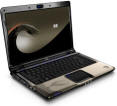
Restoring the original factory
image erases ALL existing data
|
|
|
|
|
|
| |
|
|
|
|
-
When Recovery Manager has loaded click
advanced options
-
Choose system recovery
-
If you wish to try and backup any data then choose backup
your files first and follow the on screen instructions
-
To run the recovery without backing up your data choose to
recover without back up
-
The recovery will launch and restore your system back to
it's factory default state
|
| |
|
|
|